

Logging
Photos on a record
Attach up to nine photos to any record, see them in the list and the detail, and open them full screen.
Every record — all fourteen types, and custom ones — can carry up to nine photos. They live with the record on your phone and are included in backups.
Adding photos
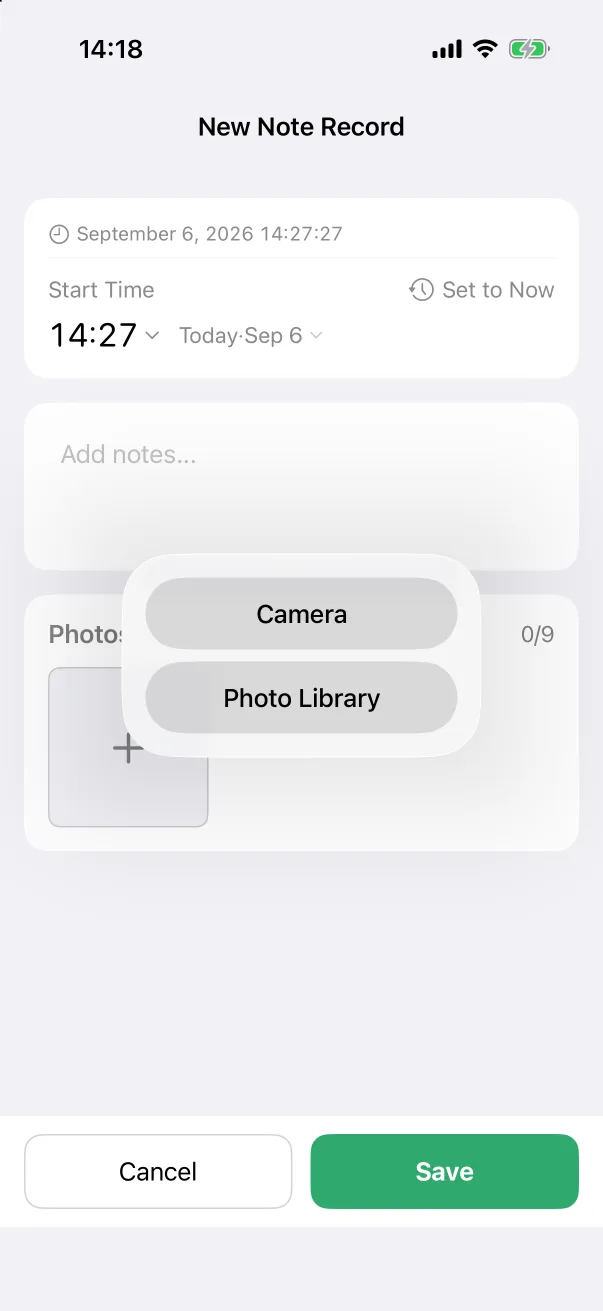
- In any editor, scroll to the Photos card at the bottom and tap the + tile.
- Choose Camera to take a picture now, or Photo Library to pick existing ones.
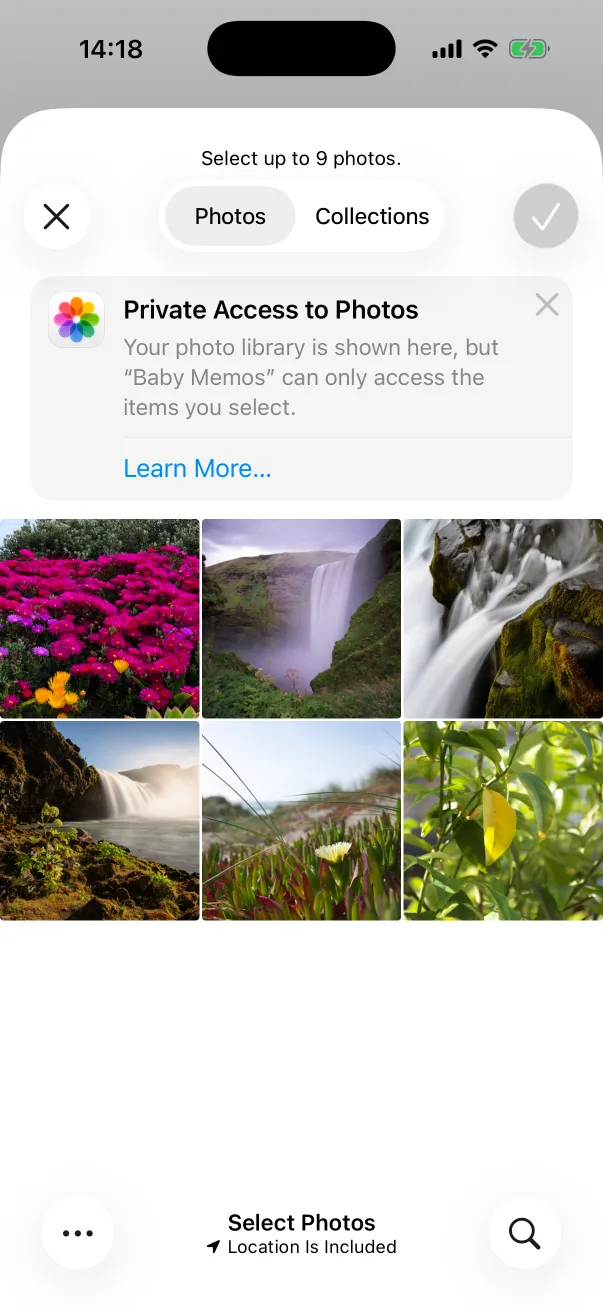
- In the library, select up to nine and tap the tick. Baby Memos only ever sees the photos you select — it does not ask for access to the whole library.
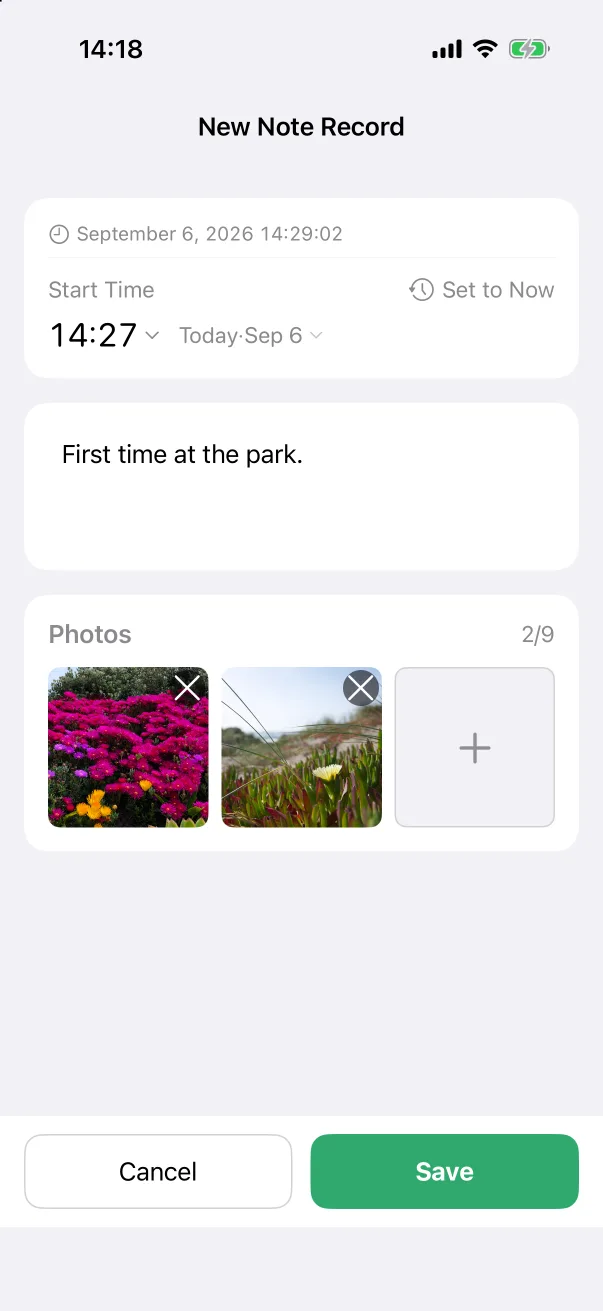
- Thumbnails appear in the card as Photos 2/9. Tap the × on a thumbnail to remove it. Save the record as usual.
Where photos show up
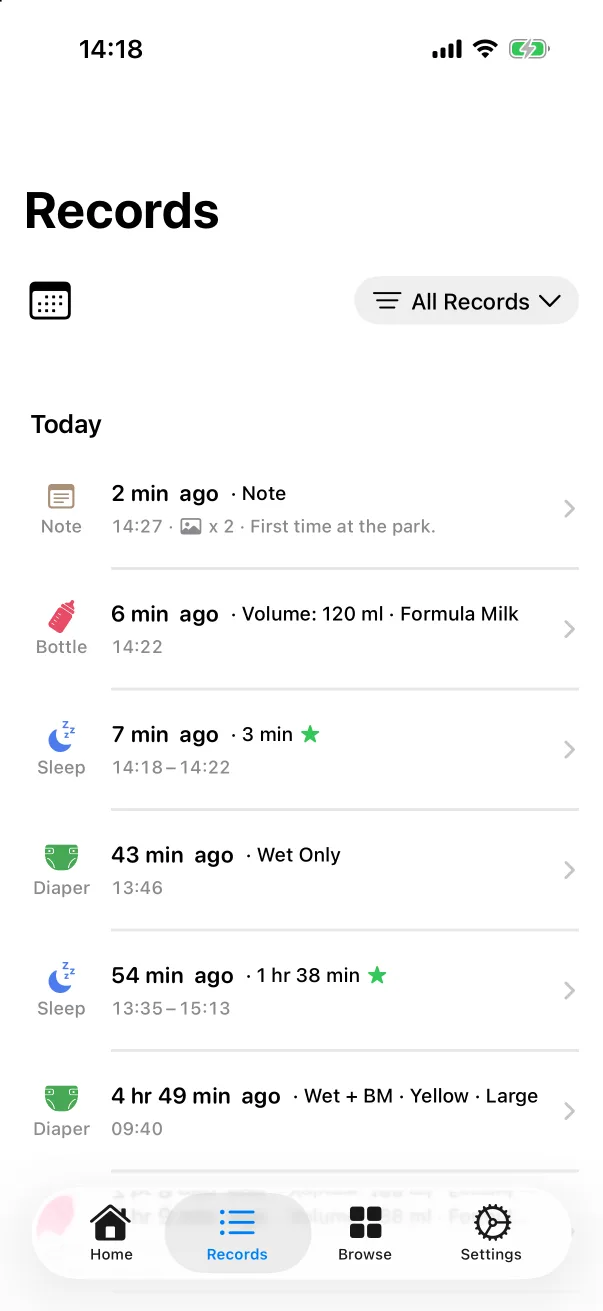
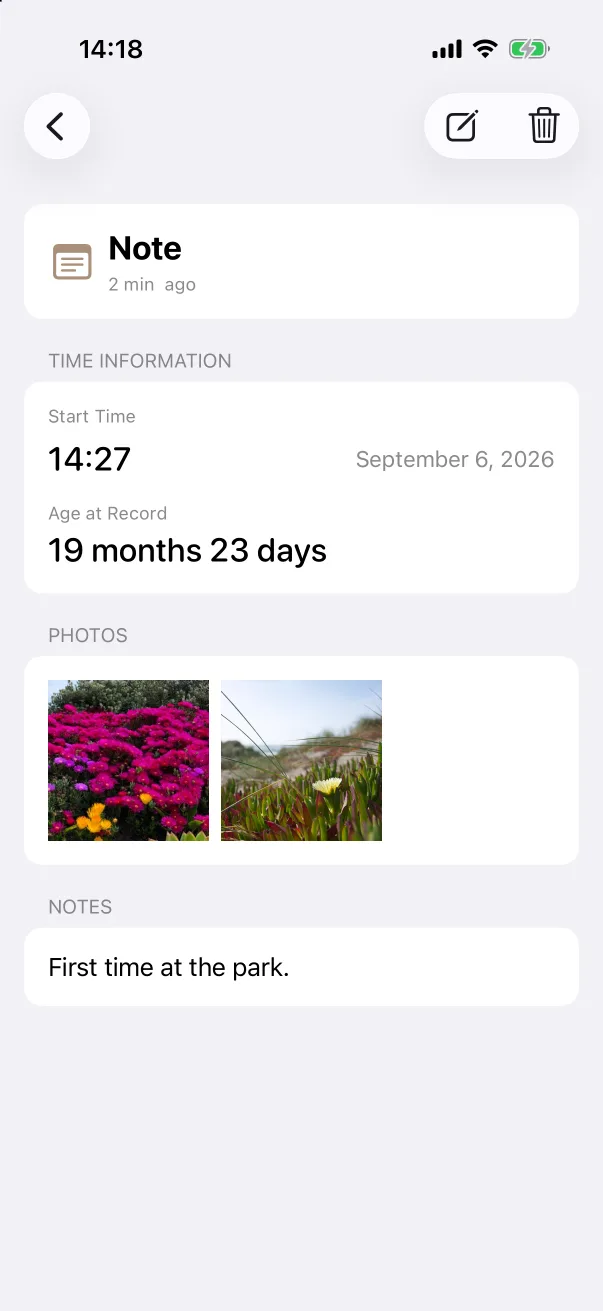
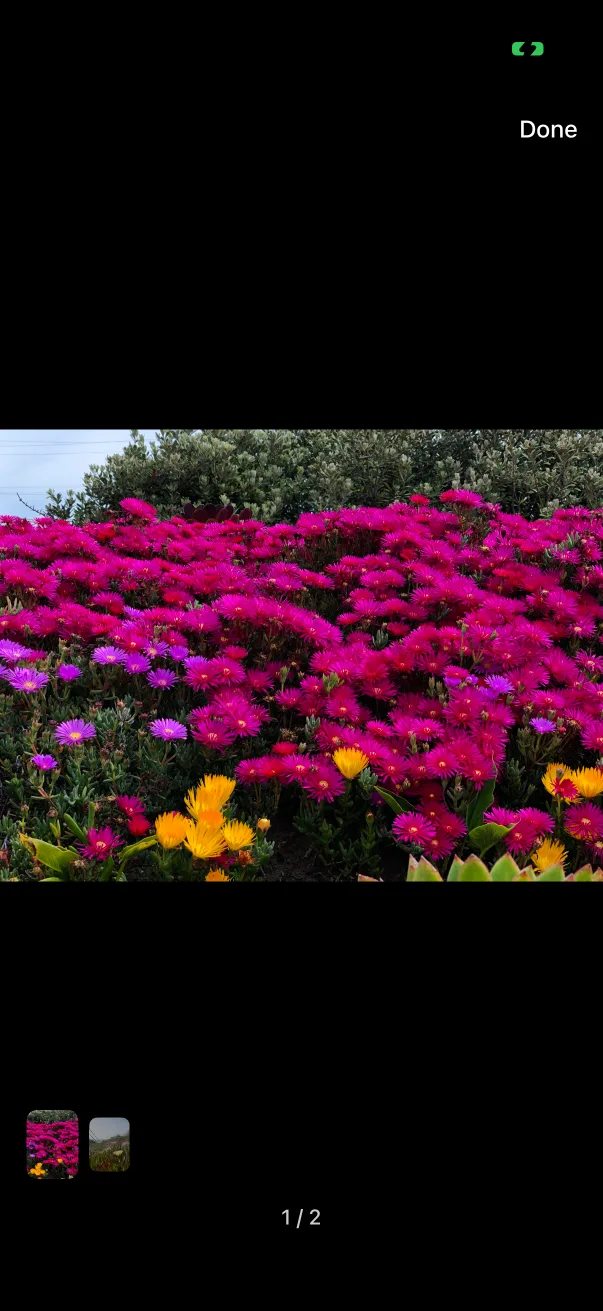
- On the Records tab, a row with photos shows a small picture icon and the count before its text.
- The record's detail screen has a Photos section with the thumbnails. Tap one to open it full screen; swipe between photos, and use the strip at the bottom to jump.
- To add or remove photos later, edit the record — the Photos card works the same way there.