
Looking back
The Records tab
Every record, newest first — filter it to one type, jump to a date, and find an upcoming appointment pinned at the top.
The Records tab is the full log: everything ever saved for the current baby, grouped by day, newest first. It is where you go to answer "what happened on Thursday", and it is the way into any record's detail for editing.
Reading the list
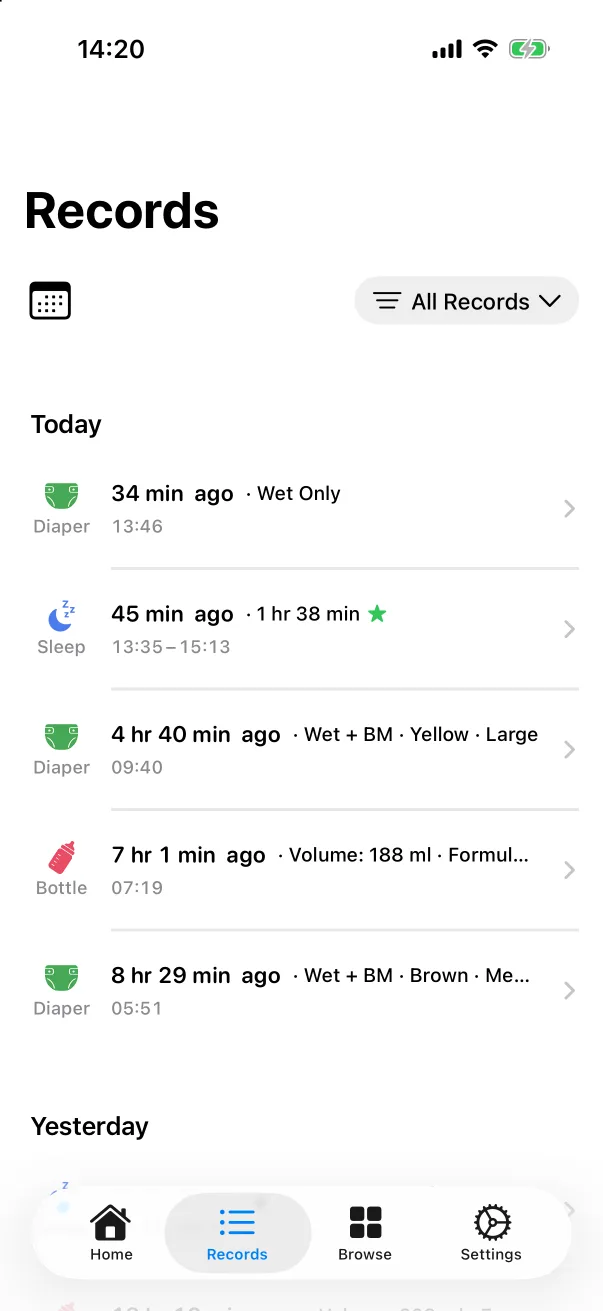
Sections are Today, Yesterday, then dated headers. Each row shows the type's icon and name, how long ago it happened, a one-line summary and the clock time:
- Diaper: Wet Only, or Wet + BM · Yellow · Large.
- Sleep: the duration, a star for the sleep quality, and the start–end range.
- Bottle: the volume and the milk type.
- A picture icon with a count when the record has photos.
Tap a row to open its detail. Swipe it left for Edit and Delete.
Filtering to one type
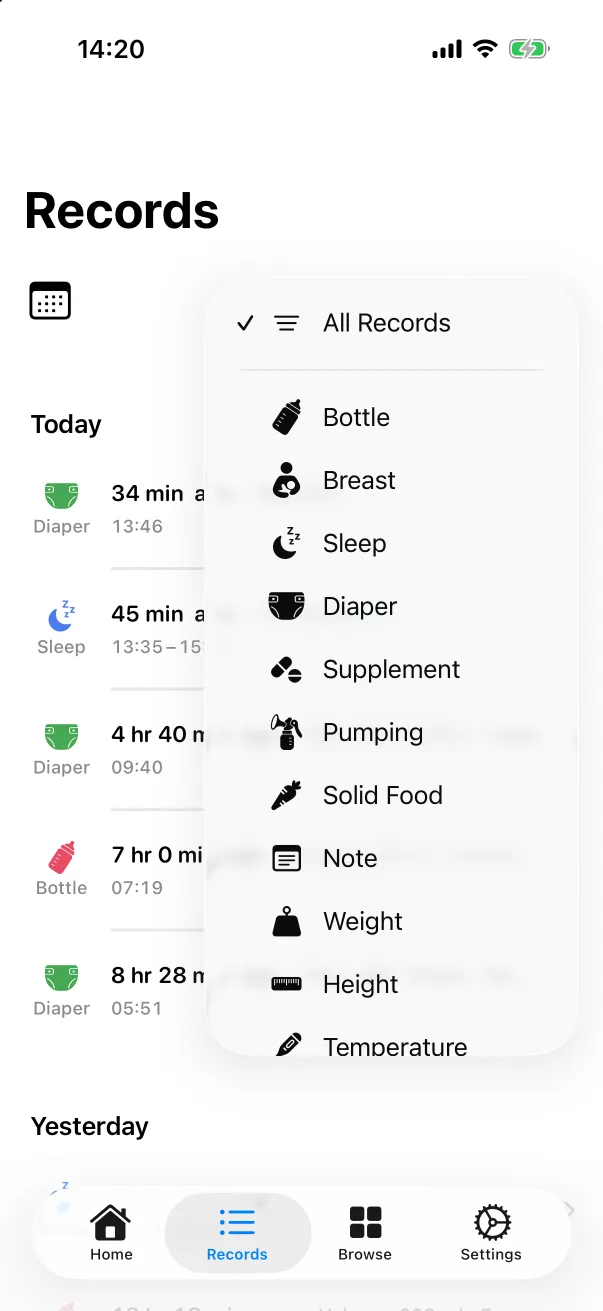
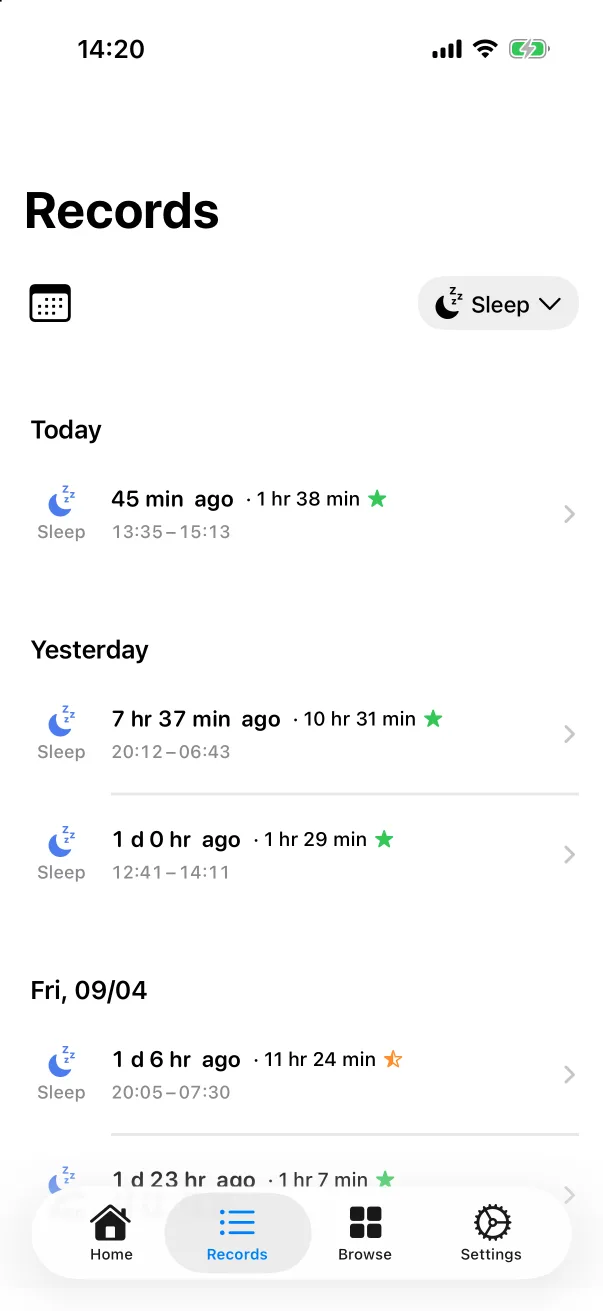
Tap the All Records pill at the top right and pick a type. The pill takes the type's name and icon, and the list keeps only that type, still grouped by day. Pick All Records to clear it. Custom types appear in the same menu.
Jumping to a date
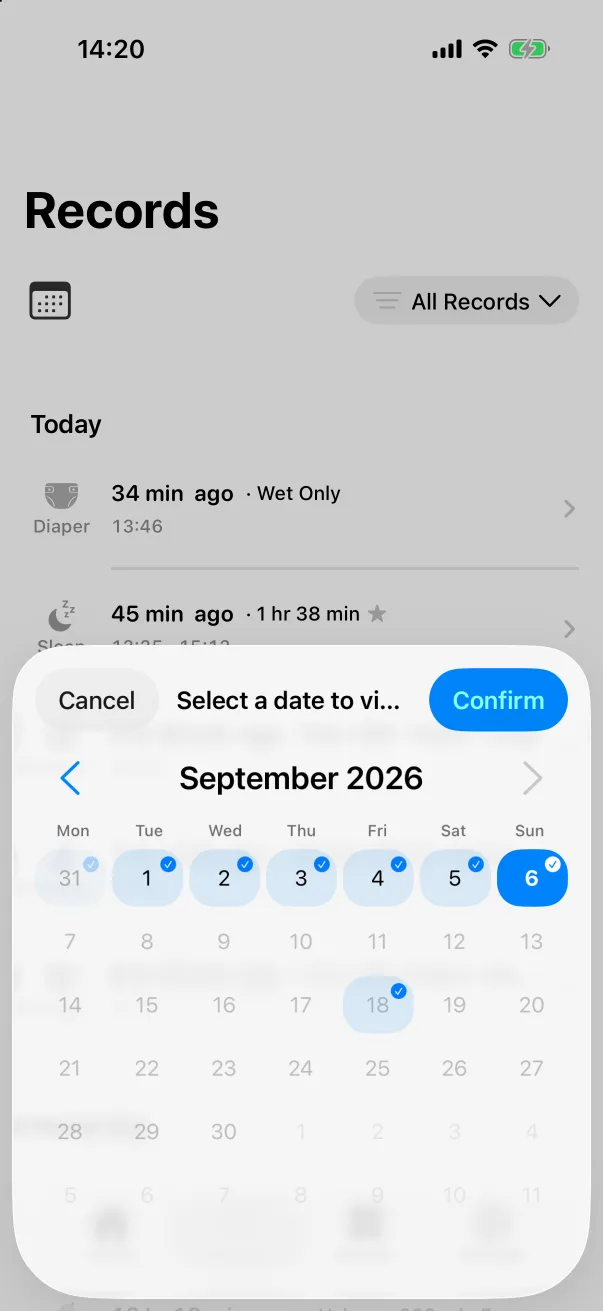
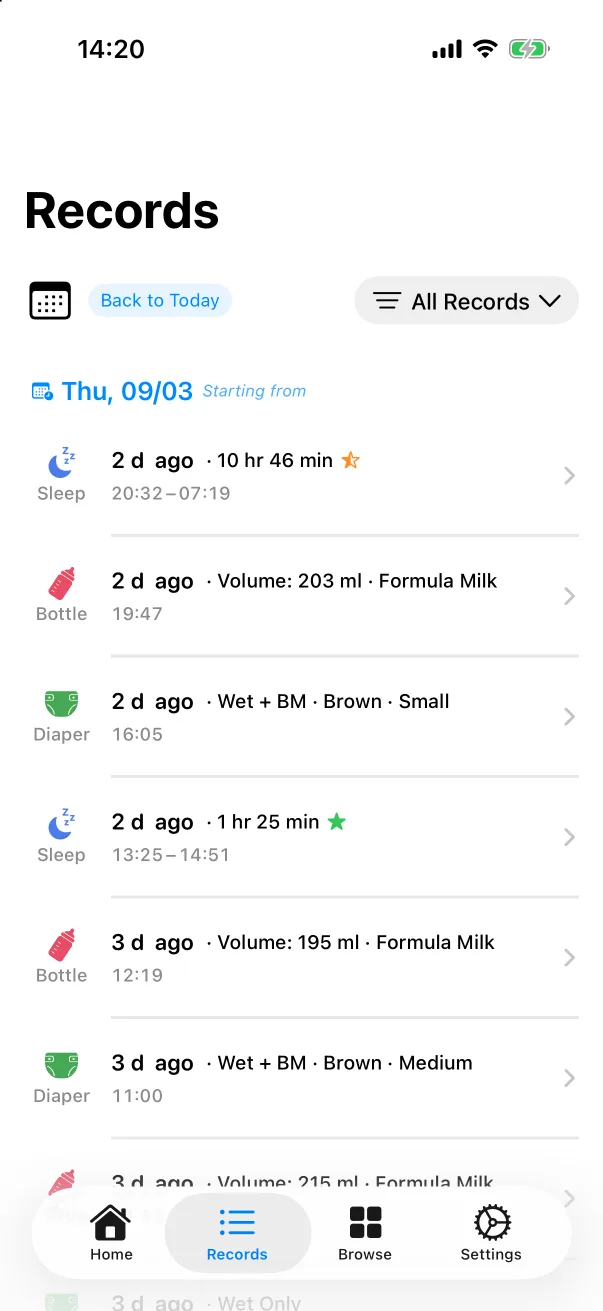
Tap the calendar icon at the top left. Days that have records carry a small badge; tap one and Confirm. The list now starts from that day and runs backwards, with a Back to Today chip to return. The date jump and the type filter combine.
Upcoming appointments
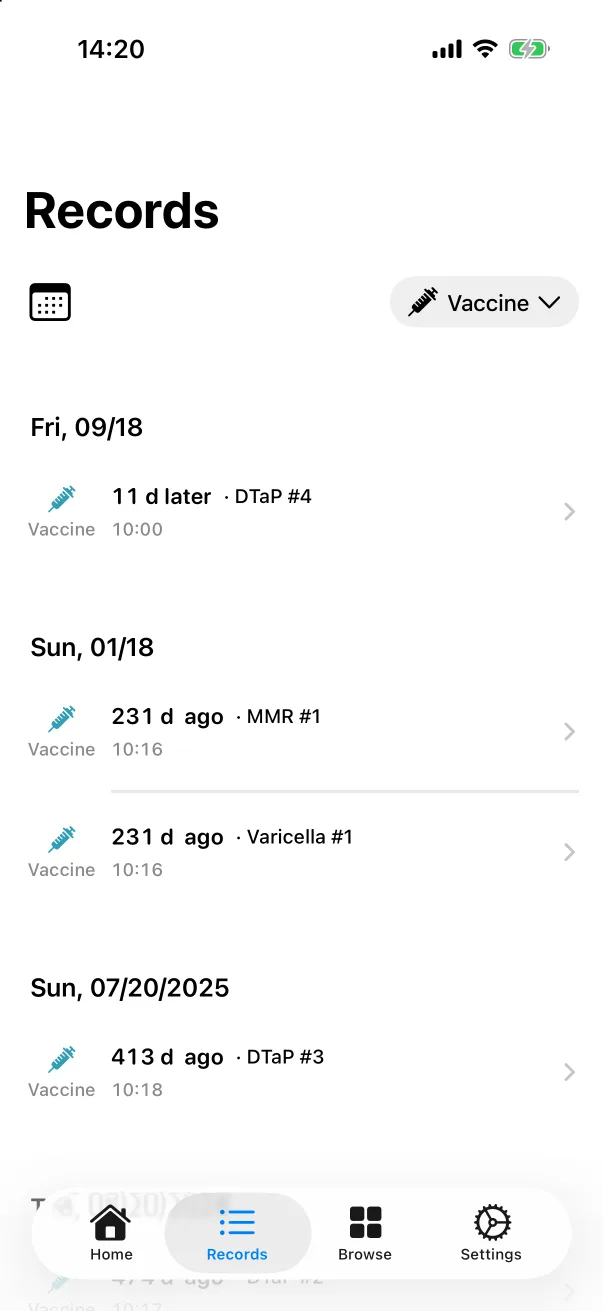
A vaccine saved with a future time is an appointment. Filter to Vaccine and it sits at the very top under its own date, marked 11 d later. It never appears on the home screen or in today's counts — those only show what has already happened. See Vaccines.