

Looking back
Growth chart
Weight, height and head circumference plotted on the WHO growth standards for the baby's age and sex, with the percentile spelled out.
Every weight, height and head circumference you log lands on a chart against the World Health Organization growth standards — birth to five years, separate curves for boys and girls, chosen automatically from the baby's profile.
Opening the chart
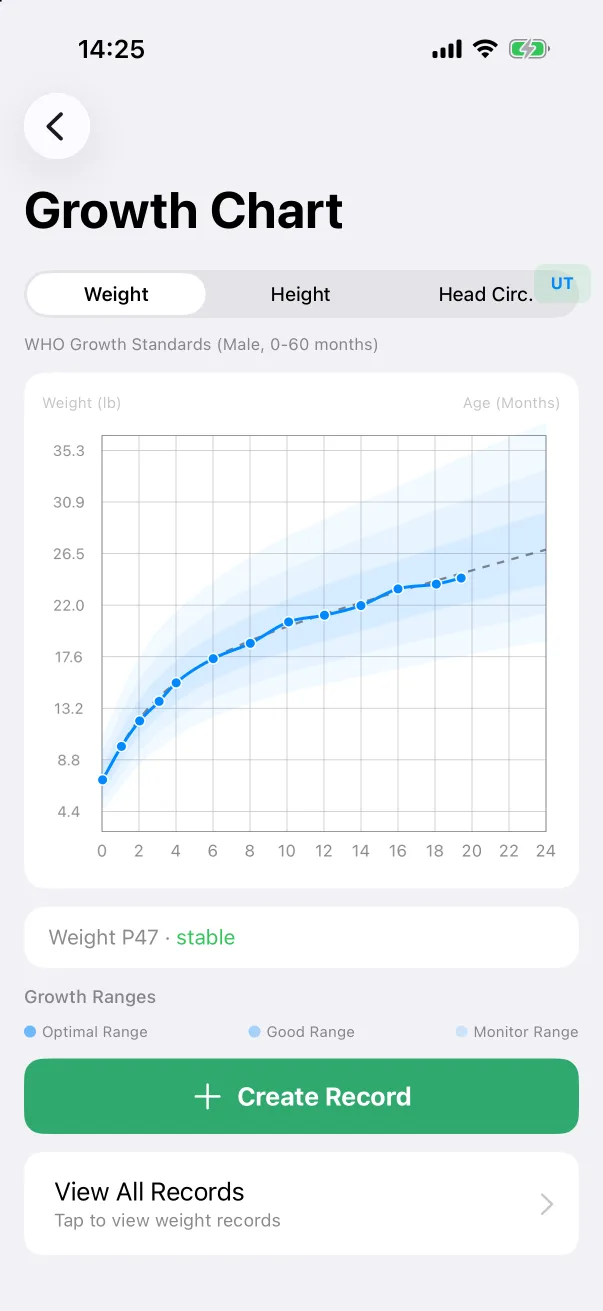
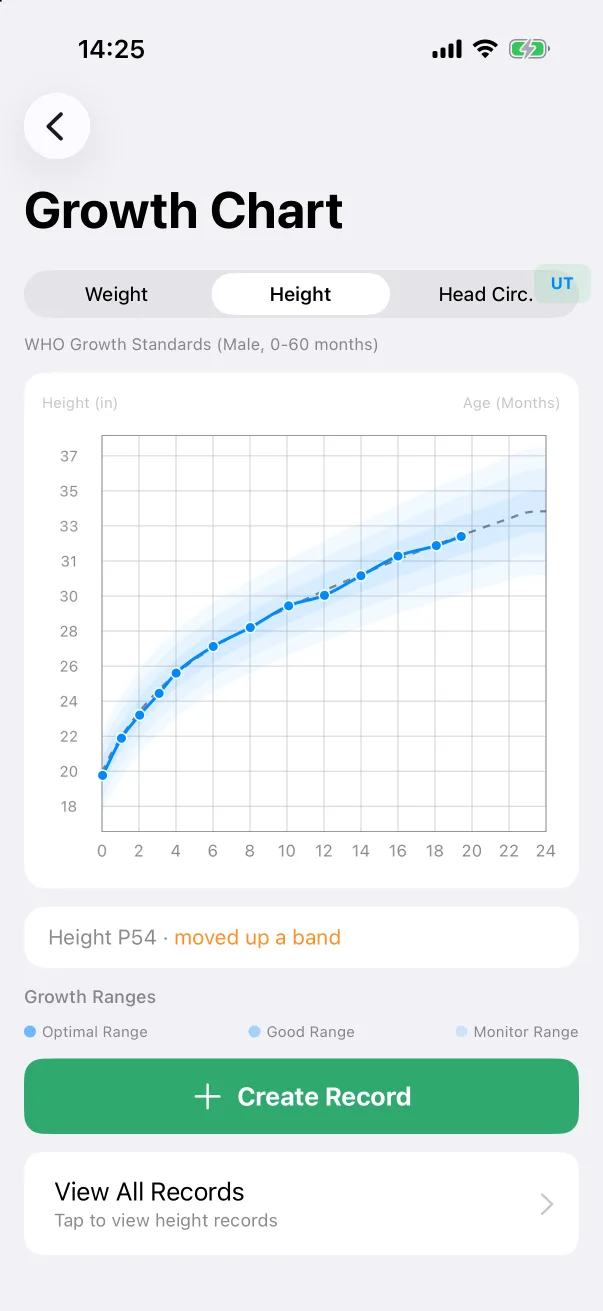
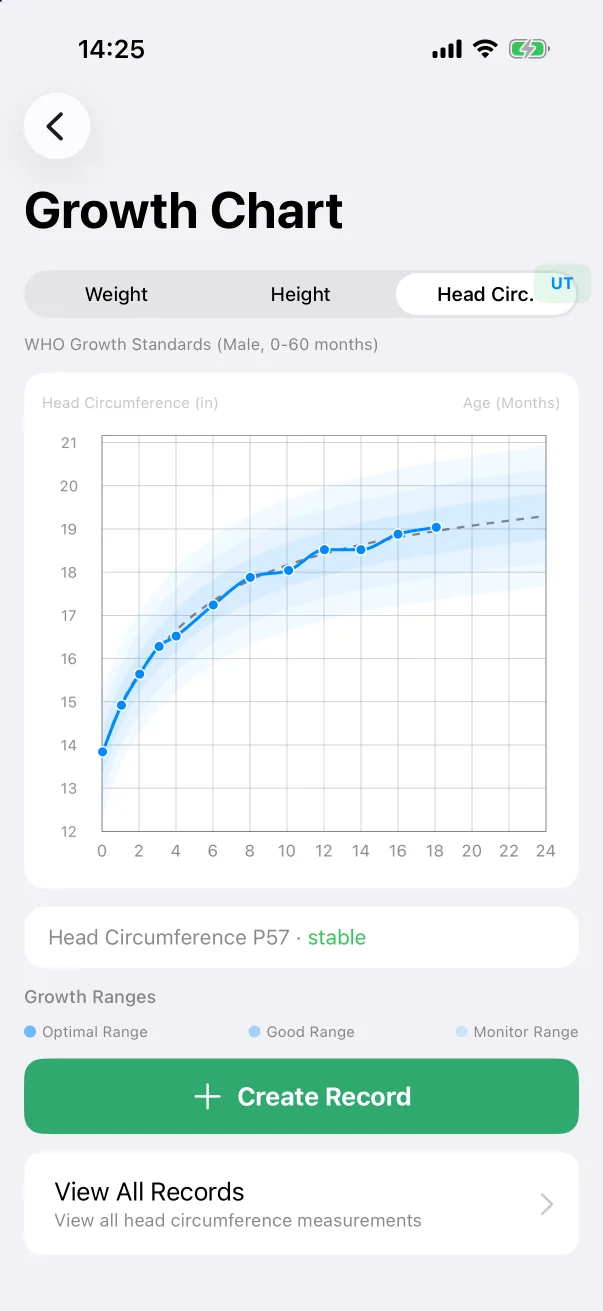
Go to Browse → Features → Growth Chart, or tap the growth line at the bottom of the home screen. The segmented control switches between Weight, Height and Head Circ.; the caption under it names the standard in use (WHO Growth Standards (Male, 0–60 months)).
On the chart, the shaded bands are the percentile ranges — the legend calls them Optimal, Good and Monitor — and the baby's measurements are the connected dots. Under the chart, one line says where the latest point sits and how it is moving: Weight P47 · stable, or Height P54 · moved up a band. Units follow Settings → Units.
Adding a measurement
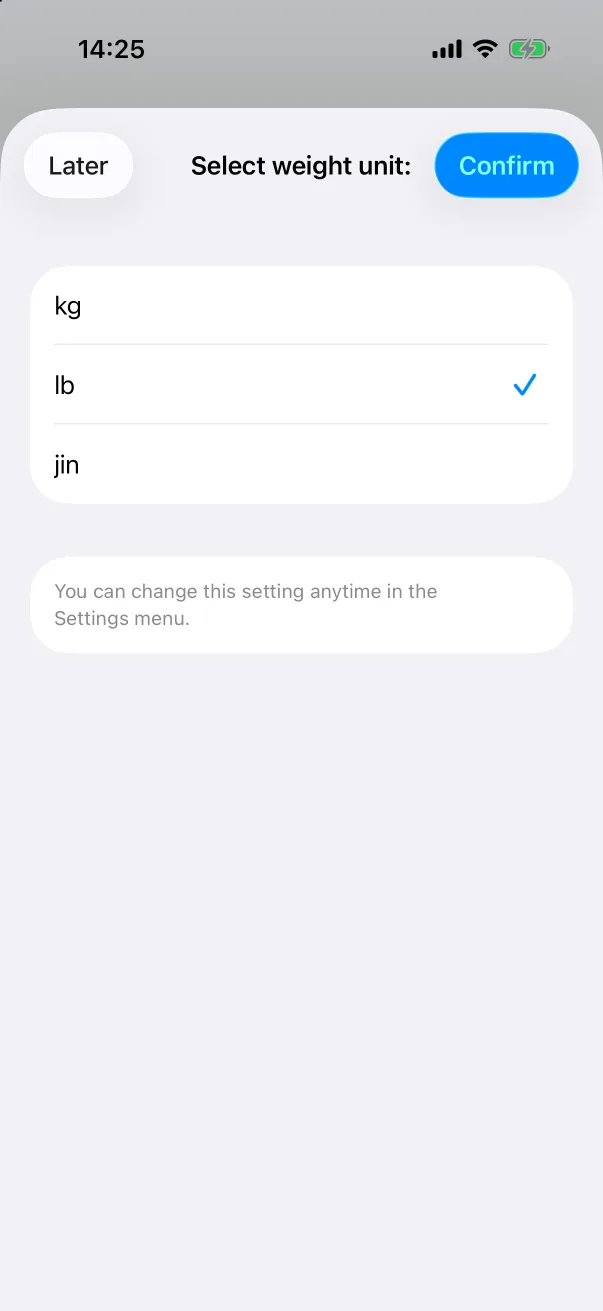
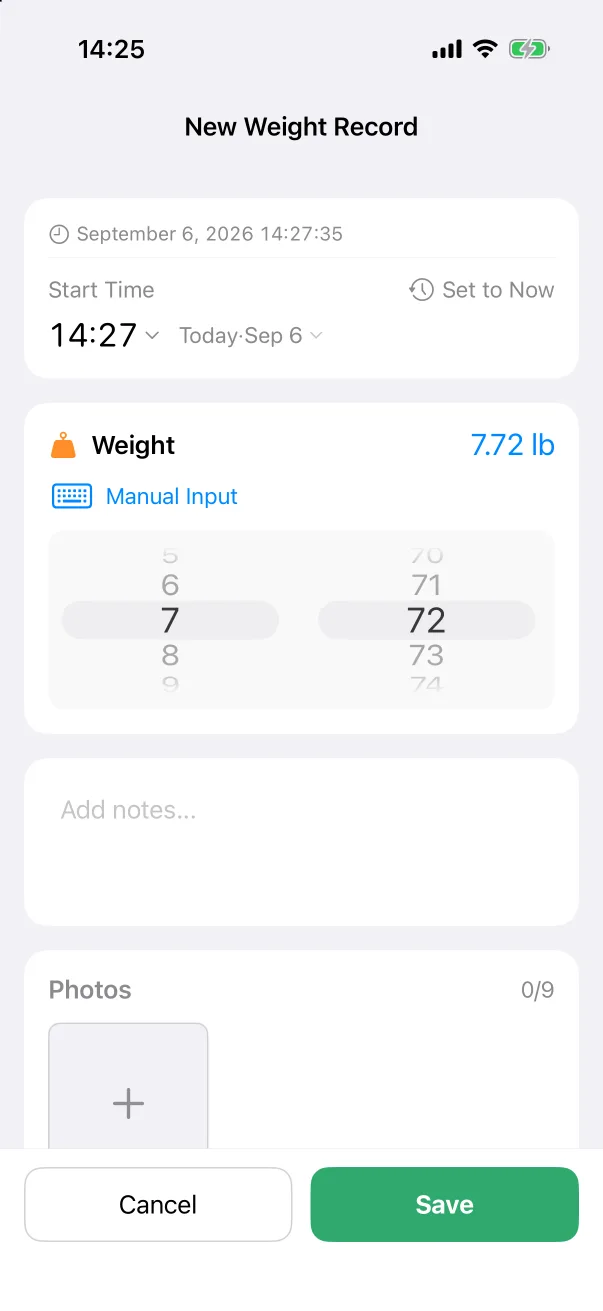
Tap + Create Record under the chart. The editor is the same as from the quick panel: a time, the value on a two-part wheel or by Manual Input, notes and photos. The first time, the app asks which unit you prefer.
The list behind the chart
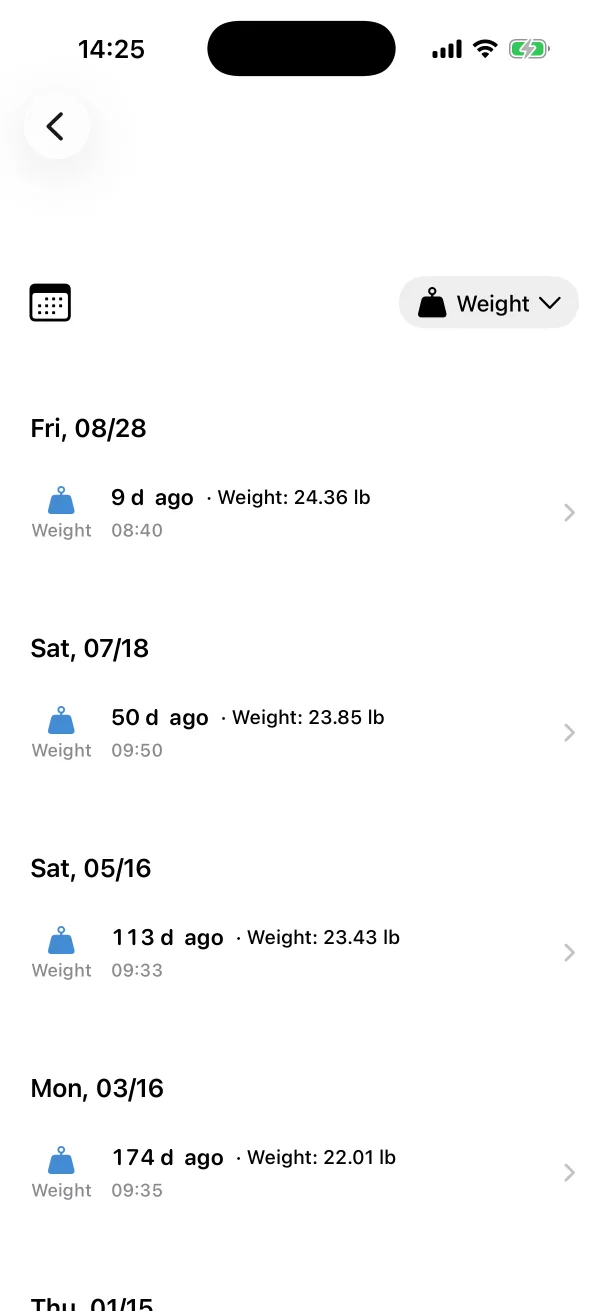
View All Records opens the Records tab filtered to that measurement, one row per entry with its value, where any of them can be corrected or deleted — see Editing and deleting records.