
A baby log for iPhone and iPad

Track your baby's feeds, sleep, diapers and growth.

Hold the button and say “120 ml, left side” — Baby Memos fills in the record for you. Or tap it in instead. No account needed.
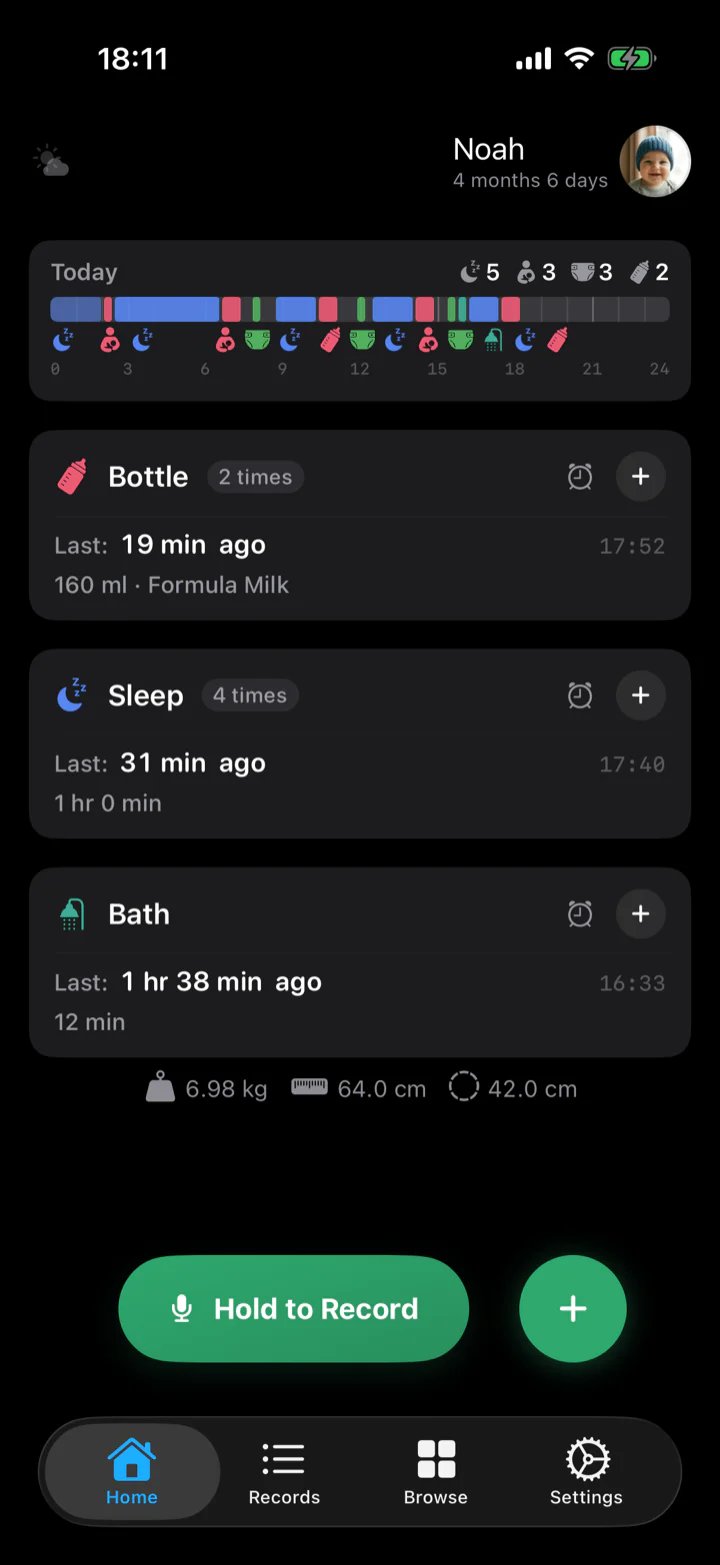
See a whole day

14 record types · 14 languages · No ads · iOS 17 and later

Baby Memos home screen at night: today's timeline, recent bottle, head circumference and weight, and a Hold to Record button

What you log

Everything that happens in a day has somewhere to go.

Fourteen built-in types, in the same colours the app paints them. Missing one? Make your own.
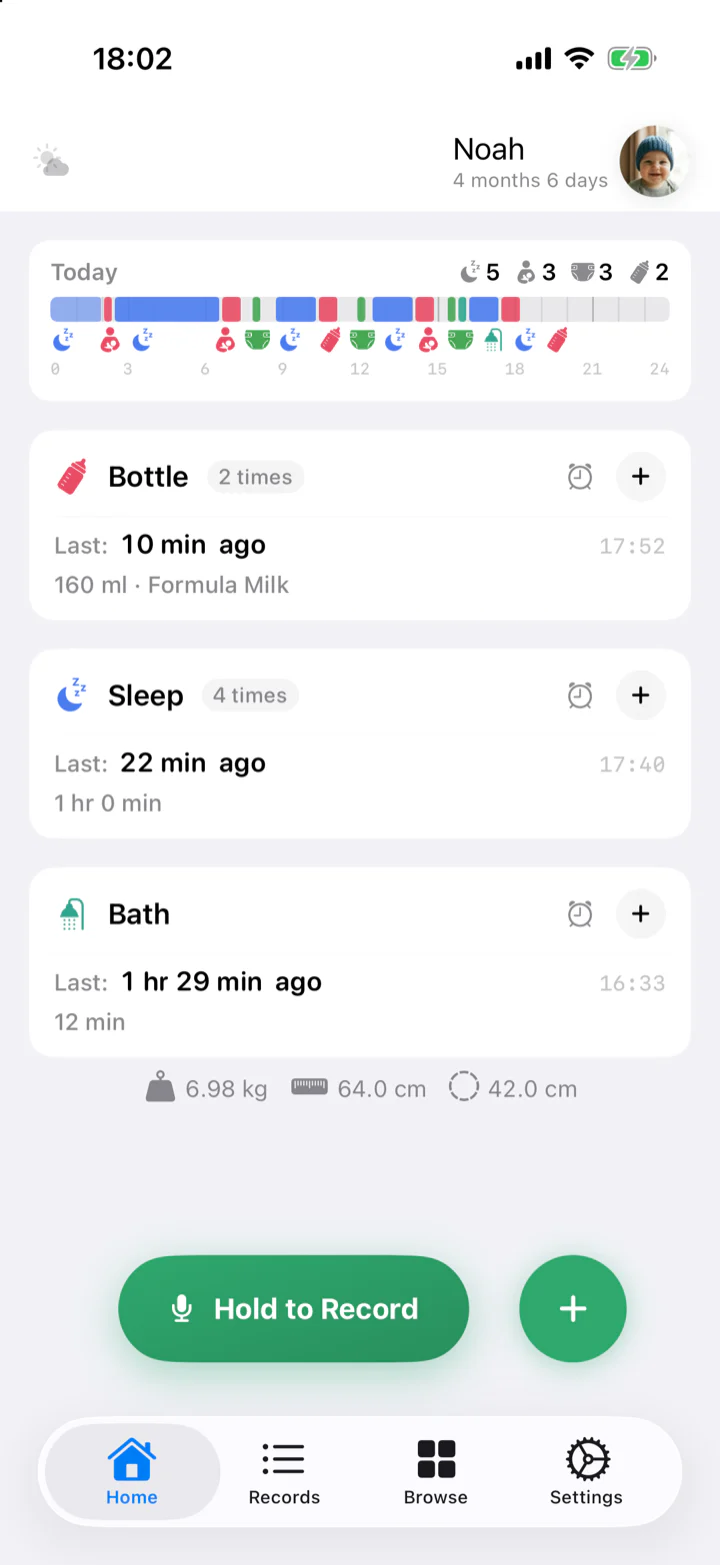
Baby Memos home screen in daylight: today's timeline, sleep, solid food and supplement cards
06:30

Log it with one hand full.

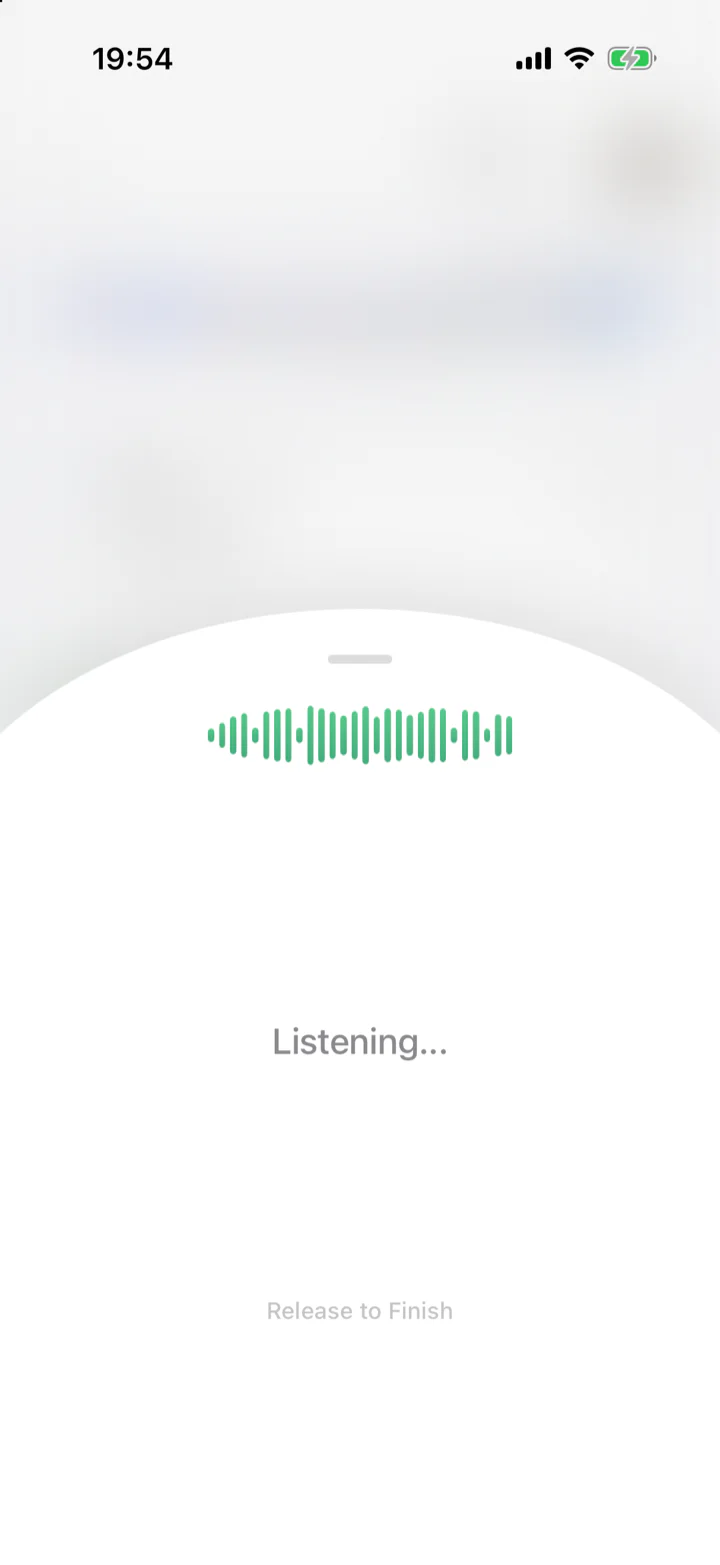
Hold the green button and say it out loud. Let go, and a card appears with the record already filled in — glance at it, save it. Recognition runs on Apple's own speech engine, in all fourteen languages.

“He had 120 ml of formula”

Bottle 120 ml · Formula · 06:30
  • Mumbled it? Nothing is lost — anything it can't classify is kept as a note, in your own words.
  • Rather not talk? The quick panel is one tap away, and any record is two taps from there.
  • Bottle, breast, sleep and pumping can run a timer that keeps ticking on the Lock Screen and in the Dynamic Island.
Holding the record button: a waveform, “Listening…”, and “Release to Finish”
13:20

“When did he go down last night?”

Every record, newest first. Filter to one type, jump to a date, edit anything. Put a future date on a record and it turns into the next appointment, pinned to the top of the list.
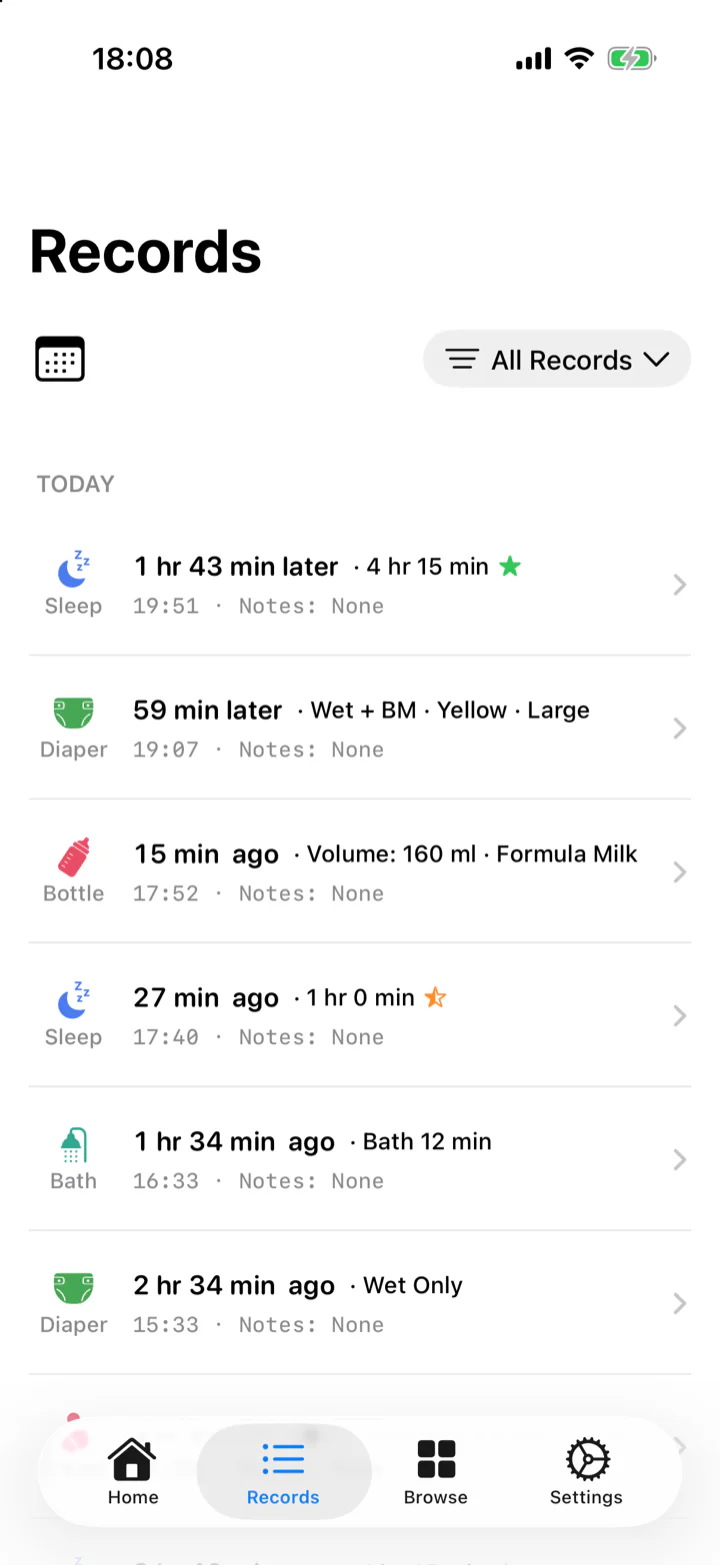
The records list, newest first, with a filter and a calendar jump
15:05

Four days, side by side.

The whole day stood on end, midnight at the top and midnight at the bottom. Put a few days beside each other and the shape of a routine shows up on its own — the night getting longer, the naps settling.
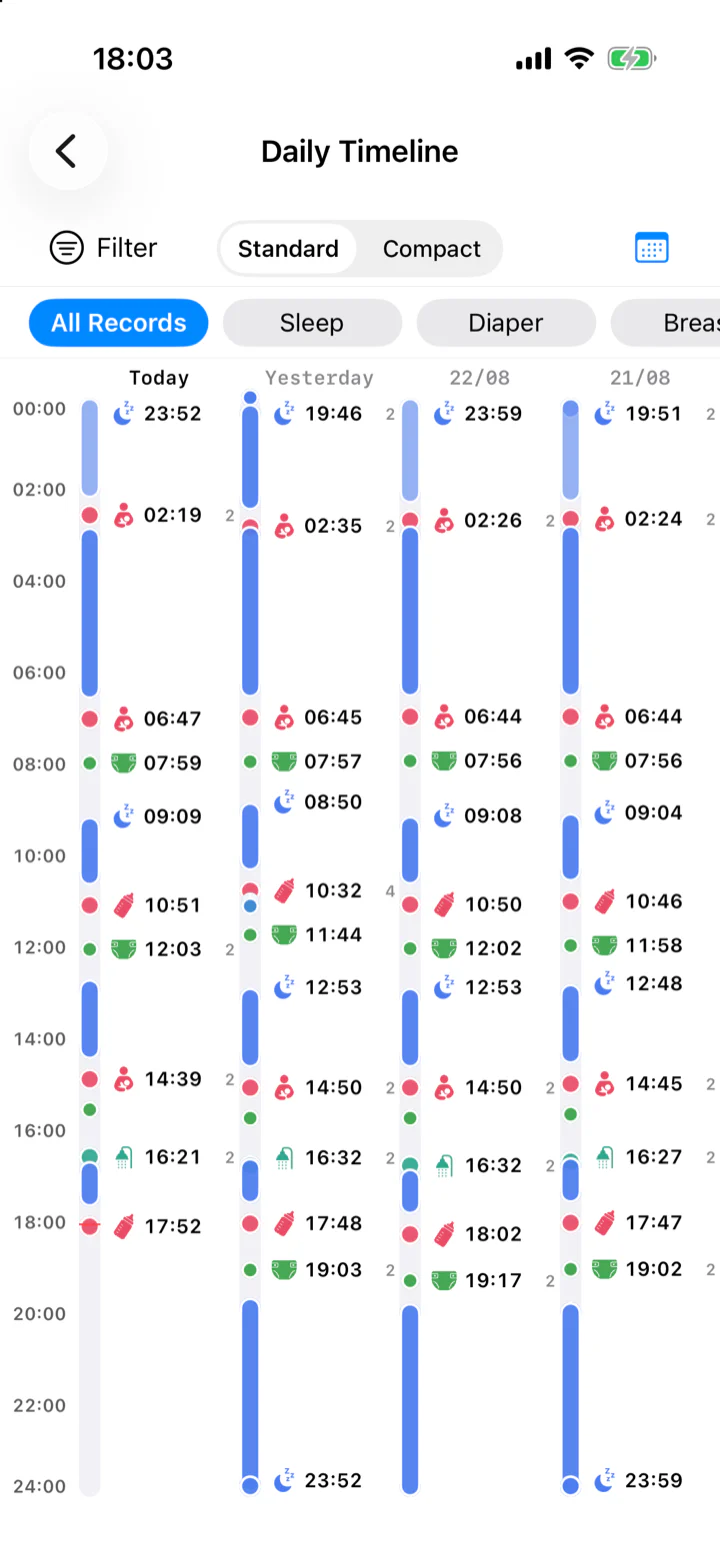
  • Sleep is drawn as a band, so a night and a catnap never look alike.
  • Filter to one type to ask a narrower question, or switch to compact to fit more days.
The daily timeline: four days side by side on a vertical 24-hour axis, sleep drawn as blue bands with feeds and changes marked between them

One day, start to finish Hover a mark

Sleep Bottle Diaper

17:45

The numbers do the talking.

Each type keeps its own page: today's count, this week's daily totals, where the trend is heading. Weight, height and head size land straight on the WHO growth standards — birth to five years, separate curves for boys and girls — with the percentile spelled out.
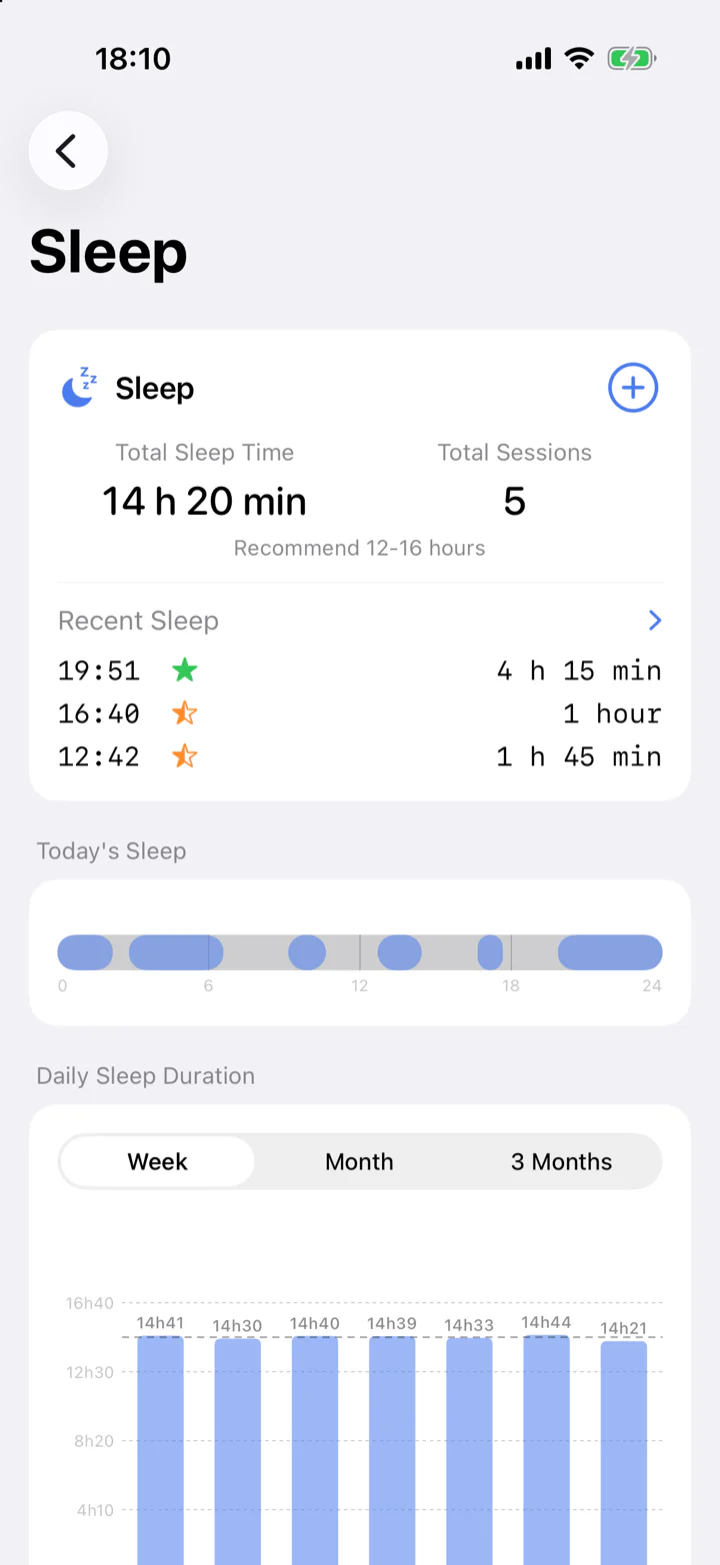
  • A sleep that crosses midnight is split at 00:00 and counted into both days.
  • Metric or imperial, switch any time.
Sleep statistics: total time, today's sleep windows, and a daily duration chart

Also in the box

The quiet half.

Vaccines, and a reference to read

Log the shot he just had, or type in one that isn't listed. Date it in the future and it becomes the next appointment. The reference is read-only and stays out of your records.

Lock Screen and Home Screen widgets

Seventeen of them. The seven round ones on the Lock Screen log a feed, a sleep or a diaper in a single tap — the app never opens.

A timer in the Dynamic Island

Start a bottle, breast, sleep or pumping timer and it keeps running on the Lock Screen, with separate left and right sides for nursing.

It backs itself up

Once a day everything is backed up, photos included, to your own iCloud Drive. On a new phone it all comes back in one go.

Fourteen languages

English, 简体中文, 繁體中文, 日本語, 한국어, Português, Français, Español, Deutsch, Русский, Italiano, Nederlands, Türkçe, Polski — for the interface and for the voice recognition alike.

iPhone and iPad

One app, both devices. Requires iOS 17 or later.

21:30

No account. Just the people in the room.

No sign-up, no email, no Apple ID. One device makes a one-time invite code, the others type it in, and from then on whatever anyone logs shows up on everyone's phone.

  • The moment you write it down it is on your phone. On everyone else's, a moment later.
  • You are not the only one writing it down — whatever anyone in the family logs lands in the same place.
  • You choose who is in the family, and you can take someone out again at any time.

The family, as the app lists it

Mom's iPhoneThis device · Admin
Dad's iPhoneJoined 29 May
Grandma's iPadJoined 29 May

Devices, not accounts.

Privacy

Your records live on your phone.

No sign-up, no login. Install it and start logging.

Where it lives
Everything you write stays on this iPhone. Unless you turn on family sync, it never goes anywhere else.
Once family sync is on
What you write shows up on your family's phones within seconds, and what they write shows up on yours.
Backups
Once a day everything is backed up, encrypted, to your own iCloud Drive. You can put a copy wherever you like, whenever you like.
Ads
No ads, and nothing in the app that is there to show them.

Read the full privacy policy

Free and Premium

Logging itself is always free.

Premium unlocks a handful of conveniences, not the ability to log. Current pricing is on the App Store.
Free

  • All 14 record types
  • Voice logging
  • Stats and WHO growth curves
  • Every record you have ever kept, any time you want it
  • Vaccines, and the reference to read
  • Widgets and Dynamic Island timers
  • Daily automatic backup
  • As many babies as you like
  • No ads

Premium

  • Log together with your family, in sync within seconds
  • A full week side by side on the timeline
  • Scroll the routine chart back as far as you like
  • Create your own record types
  • Rearrange the quick record panel
  • Swap the app icon

Today's first entry is one tap away.

Free to download. Nothing to set up.

App Store QR code

Or point your iPhone camera at this